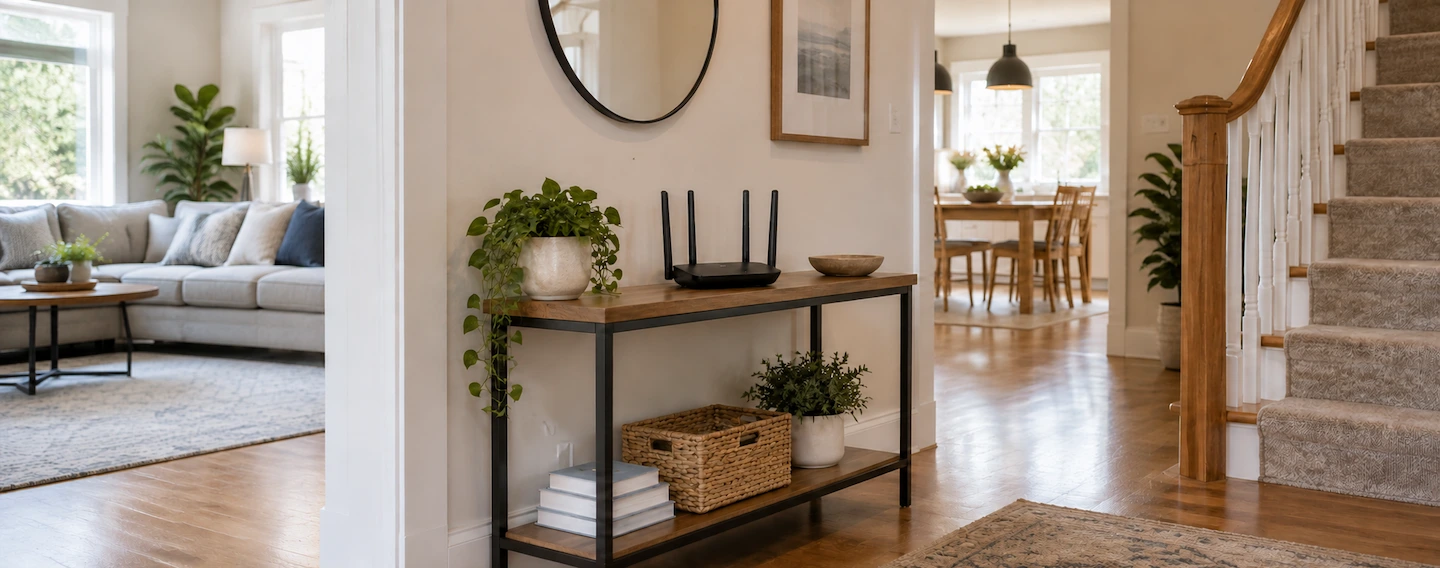
Knowing where to put your Wi-Fi router can make a noticeable difference to wireless coverage around your home. A router hidden in a cupboard, sitting on the floor or positioned at one far end of the property may have a harder job reaching the rooms where you actually use Wi-Fi.
There is no single perfect room, floor or exact height that works for every home. The aim is to find the best practical position for your particular layout, rather than follow one rigid placement rule.
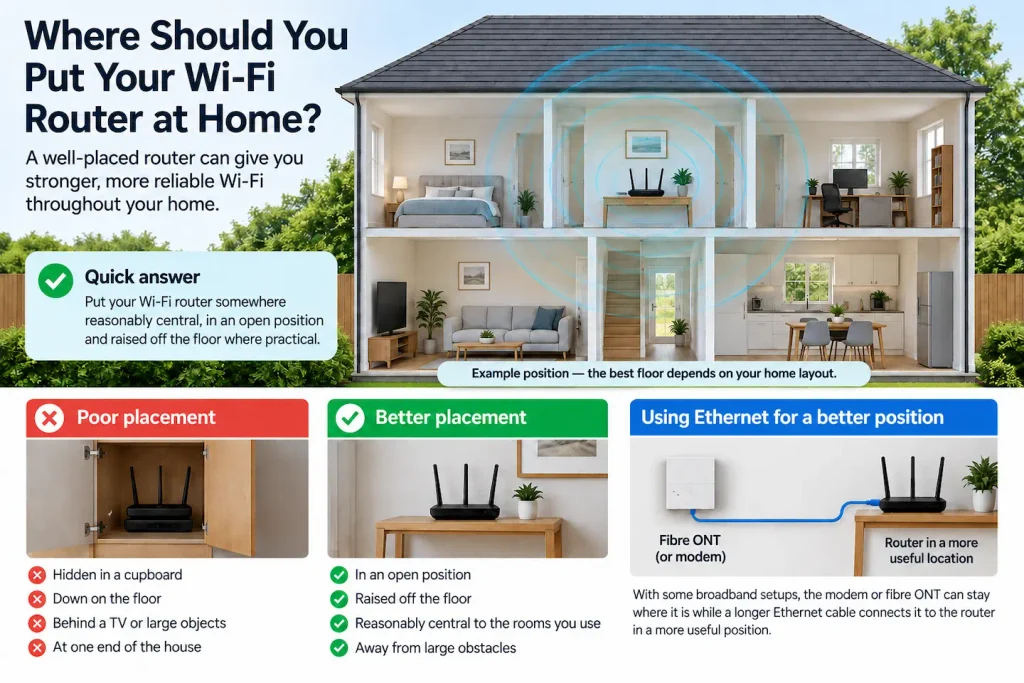
Quick answer: Put your Wi-Fi router somewhere reasonably central to the rooms where you use Wi-Fi most, in an open position and raised off the floor where practical. Avoid hiding it inside furniture or immediately behind large objects.
You do not need to find an exact perfect height or automatically choose upstairs rather than downstairs. Your broadband socket, modem or fibre equipment may also limit where the router can go.
Start with free, reversible positioning changes and test the rooms that matter before buying an extender, mesh system or new router.
Where to Put Your Wi-Fi Router for the Best Coverage
A good starting position for most homes is:
- reasonably central to the areas where you need Wi-Fi;
- out in the open;
- raised off the floor;
- away from unnecessary large obstacles;
- somewhere the router can remain safely connected and properly ventilated.
BT’s current guidance similarly recommends keeping its Hub near the centre of the home where practical, out in the open and off the floor. It also warns against placing the Hub behind a television or close to metal objects. (BT)
The important word is practical.
The mathematical centre of your house is not automatically the right answer. If that point happens to be a staircase, bathroom or cupboard, you obviously do not need to put the router there.
Instead, think about where the Wi-Fi actually needs to reach.
Start With the Rooms Where You Actually Use Wi-Fi
Before moving anything, identify the areas where a reliable connection matters most.
That might include:
- the living room where you stream television;
- a home office used for video calls;
- bedrooms where phones and tablets are used;
- an upstairs study;
- a kitchen or family room where several devices connect.
A router does not need to give every square metre of the property exactly the same signal.
For example, imagine most of your connected devices are used in the living room, two upstairs bedrooms and a home office near the centre of the house. Positioning the router reasonably close to those areas is more useful than trying to provide equally strong Wi-Fi to a rarely used utility room at the opposite end.
TP-Link recommends placing the router as centrally as practical so the signal can spread more evenly through the home. (TP-Link)
This also helps prevent another common mistake: moving the entire network just to solve one awkward room.
If Wi-Fi is good throughout most of the property but consistently poor in one particular area, Weak Wi-Fi in One Room: What Usually Causes It? will help you check whether the room, device or wireless path is really the problem.
Keep the Router Out in the Open and Off the Floor
Once you know roughly where the router needs to be, look at its immediate surroundings.
If practical, an open shelf or stable table is usually a better starting point than the floor or an enclosed piece of furniture.
You do not need to mount the router near the ceiling or chase an exact height. Simply getting it away from the floor and removing unnecessary obstructions may give the signal a clearer path into nearby rooms.
Sky recommends keeping a router in an open, raised position rather than hidden away. (Sky)
Can You Put a Wi-Fi Router in a Cupboard?
You can, but a closed cupboard is usually not the first place to choose if you are trying to maximise Wi-Fi coverage.
The cupboard itself puts more material around the router, and anything stored alongside it can add further obstruction.
That does not mean a router in a cupboard will automatically have poor Wi-Fi. If your connection works well throughout the home, there is no reason to rearrange everything simply because the position is not theoretically ideal.
If you do have coverage problems, however, moving the router just outside the cupboard or onto a nearby open shelf is a simple test worth trying.
BT specifically advises against keeping its Hub in a cupboard because doing so can reduce wireless performance. (BT)
Is It Okay to Put a Router Behind a TV?
It may work, but behind a television is not an ideal starting position when a more open location is available.
A large television and the equipment surrounding it add unnecessary objects between the router and the rest of the room.
If your router currently sits directly behind a TV and Wi-Fi is weak elsewhere in the house, try moving it to the side or onto a nearby open shelf while keeping all cables safely connected.
Again, the point is not that a television automatically blocks Wi-Fi completely. You are simply removing an avoidable obstruction and seeing whether the real-world result improves.
BT recommends avoiding placement behind a television, while Virgin Media advises keeping its Hub in the open rather than behind surrounding equipment. (BT)
Should Your Wi-Fi Router Be Upstairs or Downstairs?
Neither floor is automatically best.
For a two-storey home, the better position depends on:
- where your devices are normally used;
- how close the router is to the centre of those areas;
- the walls and floors between the router and those devices;
- where your broadband connection allows the router to sit.
If most of your important Wi-Fi use is downstairs, there may be little benefit in moving the router upstairs simply because somebody has said that routers should always be placed high.
If you need good coverage on both floors, look for a reasonably central and open position that reduces the distance and major obstacles between the router and the rooms that matter.
A central hallway, living area or landing can work well in some houses, but none is a universal answer.
This is one area where manufacturer guidance itself varies. TP-Link UK recommends a central, moderately elevated position and gives separate antenna guidance when Wi-Fi needs to cover more than one floor. That is a good reason not to treat one particular floor as a rule for every property. (TP-Link)
If your specific problem is that Wi-Fi works normally downstairs but several upstairs rooms struggle, see Wi-Fi Works Downstairs but Not Upstairs: What to Try First before moving or replacing equipment.
What Should You Keep the Router Away From?
You do not need to create a large empty zone around the router.
Instead, look for obvious obstacles or likely interference sources that can reasonably be avoided.
These can include:
- thick walls or substantial structures between the router and important rooms;
- large metal objects immediately around the router;
- enclosed furniture;
- large appliances immediately surrounding the router;
- known wireless interference sources where practical.
Wi-Fi becomes weaker as it travels through distance and physical obstacles, and some materials affect wireless signals more than others.
Virgin Media, for example, recommends keeping its Hub in the open and away from equipment such as cordless phones and wireless speakers. (Virgin Media)
Do not start unplugging every electronic device in the house.
If Wi-Fi works consistently badly in one location, router position and the physical route to that room are generally more useful starting points than assuming every nearby electrical item is causing interference.
Make one sensible change at a time so you can tell what actually helped.
What If Your Broadband Socket or Fibre Box Is in the Wrong Place?
This is where ideal router-placement advice often becomes unrealistic.
You may know that the router would be better nearer the centre of the house, but your broadband connection might enter the property next to the front door, in a corner of the living room or inside a cupboard.
BT explicitly acknowledges that the position of an Openreach modem or the broadband setup itself can limit where its Hub can be placed. (BT)
Virgin Media installations are similarly constrained by the location of the provider’s wall connection and the cable needed to reach the Hub. (Virgin Media)
If that applies to you, start with what you can change safely.
First, Improve the Position Within the Space You Already Have
You may be able to:
- move the router from the floor to an open shelf;
- bring it out of a cupboard;
- move it away from a large obstruction;
- reposition it slightly so it has a clearer path towards the rest of the house.
A relatively small move can be worth testing before considering anything more involved.
Next, Check Whether the Existing Cables Allow a Better Position
Depending on your particular broadband setup, there may be some flexibility in where the router sits.
Do not stretch cables across walkways, use unsuitable cables or leave the equipment somewhere unstable just to gain a slightly more central position.
And do not move, open or alter provider-installed fibre equipment such as an ONT unless your broadband provider specifically says that you can.
For More Difficult Layouts, Ethernet Can Sometimes Help
With some broadband setups, the modem or fibre ONT can stay where it is while a longer Ethernet cable connects it to the router in a more useful position. Whether this works depends on your broadband equipment and how your provider has set it up.
That can be useful when the broadband enters the home at one extreme end of the property.
If you are considering Ethernet for a fixed computer rather than relocating Wi-Fi equipment, Ethernet vs Wi-Fi for a Home Office: Which Is Better? explains the practical trade-offs.
Test the New Position Before Buying Anything
You do not need specialist Wi-Fi survey equipment to decide whether a positioning change has helped.
A simple comparison is enough.
- Choose one phone, tablet or laptop to test with.
Using the same device removes one variable from the comparison. - Check two or three rooms that matter.
Use the device normally. Open familiar websites, stream something you regularly watch or use another activity that makes weak Wi-Fi noticeable. - Move the router to the best practical alternative position.
For example, bring it out of a cupboard, raise it onto an open shelf or move it slightly towards the centre of the areas you use. - Repeat the same checks in the same places.
You are looking for a meaningful improvement, not chasing the biggest possible speed-test number. - Keep the new position only if the overall result is better.
Improving one room while making several important rooms worse is not necessarily a good trade.
Why this matters: every home is different. Comparing the same device in the same locations gives you more useful information than following an exact router-height rule that may have been written for a completely different building.
Does Moving the Router Make Your Broadband Faster?
Not exactly.
Your broadband connection is the internet service reaching your home.
Your Wi-Fi connection is the wireless link between the router and devices such as your phone, laptop or television.
Moving the router can improve that wireless link. A device that was struggling with weak Wi-Fi may therefore load pages, stream video or download files more reliably after the router is moved.
But relocating the router does not increase the underlying speed of the broadband service arriving at your property.
This distinction matters because buying a faster broadband package will not necessarily solve a poor wireless path between the router and one room.
When Moving the Router Is Not Enough
Sometimes the router is already in a sensible location and one Wi-Fi source still cannot provide good coverage everywhere.
That can happen in:
- larger homes;
- long or unusually shaped properties;
- houses with several floors;
- extensions or converted garages;
- homes with substantial walls or other difficult construction;
- properties where the broadband connection forces the main router to one end.
That does not automatically mean the router is faulty.
It may simply be asking one wireless access point to cover more of the property than it can do reliably.
If only one small area needs help, a Wi-Fi extender may be enough. Our guide to where to put a Wi-Fi extender explains why it should not simply be placed inside the room where Wi-Fi has already disappeared.
If several rooms or floors need better coverage, Mesh Wi-Fi vs Wi-Fi Extender: Which Do You Actually Need? can help you decide whether additional hardware is justified.
Do those checks after making sensible placement improvements. There is little value in buying extra Wi-Fi equipment to compensate for a main router that is unnecessarily hidden on the floor in a cupboard.
The Best Router Position Is the Best Practical Compromise
For most homes, the best starting position for a Wi-Fi router is reasonably central to the rooms that matter, out in the open and raised off the floor.
But do not chase a theoretically perfect location.
Your house layout, where devices are used and where the broadband connection enters the property all affect what is realistic.
Start with simple, free changes. Remove obvious obstructions, test the same important rooms again and keep the position that gives the most useful overall coverage.
If one sensibly positioned router still cannot reach the parts of the home you need, additional Wi-Fi coverage may be justified.