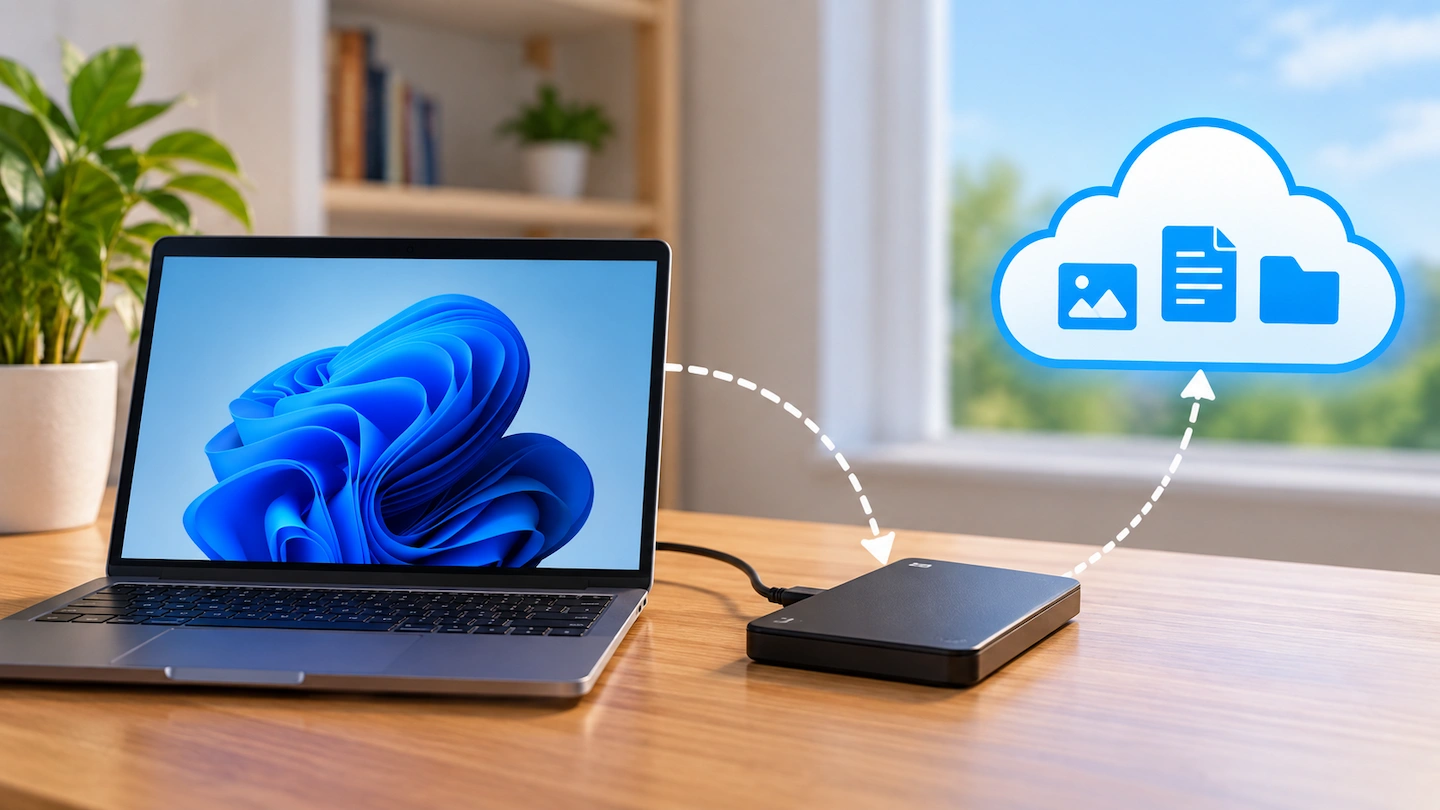
The 3-2-1 backup rule is a simple way to reduce the risk of losing important files if your computer, backup drive or even your home is affected by a problem.
Despite the name, you do not need three external drives or a complicated home server. The idea is simply to keep several copies of important files and avoid keeping every copy in one place.
Quick answer: The 3-2-1 backup rule means keeping:
- 3 — Keep three copies of your important files in total.
- 2 — Keep those copies on separate storage, traditionally described as two different types of storage media.
- 1 — Keep one copy offsite, away from your home.
The original files on your computer count as one of the three copies. For a home user, one possible setup is the original files on the computer, a backup on an external drive and another independent backup stored offsite.
The exact setup can vary. What matters is avoiding a situation where one failure or incident can destroy every copy.
The 3-2-1 approach is a long-established backup principle used to reduce the risk of losing every copy of important data if one device or location is affected.
What the 3-2-1 backup rule means
Each part of the rule protects against a slightly different risk.
3 — Keep three copies of important files
The first part is often misunderstood.
You do not need the original files plus three additional backups. The original counts as one of the three copies.
For example, important family photos might exist:
- on your computer;
- on an external backup drive;
- in a separate offsite backup.
If the computer’s storage fails, you still have other copies.
This does not mean every temporary or replaceable file needs three copies. Concentrate on files you would struggle or be unable to replace, such as personal photos, documents and other important data.
If you are unsure what deserves protecting, What Files Should You Back Up on a Home Computer? explains where to start.
2 — Keep the copies separate
The traditional 3-2-1 rule is commonly described as keeping copies on two different types of storage media.
For home users, the practical point is to avoid making every copy dependent on the same storage device or the same obvious point of failure.
For example, creating several copies of a folder on the same physical drive does not protect you if that drive fails. They may look like separate copies in Windows, but they are still vulnerable to the same hardware problem.
You do not need to become concerned about whether a hard drive, SSD or another storage technology technically counts as a different type of media before making a useful backup. The important first step is to make sure your valuable files are not dependent on one storage device.
1 — Keep one copy offsite
A backup stored on an external drive beside your computer protects against some common problems, including failure of the computer’s internal storage.
But both devices are still in the same location.
A theft, fire or another serious incident affecting the home could potentially affect both the computer and its local backup.
The 1 in 3-2-1 therefore means keeping at least one copy somewhere else.
For some home users, an appropriately configured online or cloud backup can provide this physical separation. Another approach is to keep a backup device at a genuinely separate location.
The important point is that the offsite copy should not be exposed to exactly the same physical risks as the copies at home.
What 3-2-1 could look like on a home computer
A straightforward home setup might look like this:
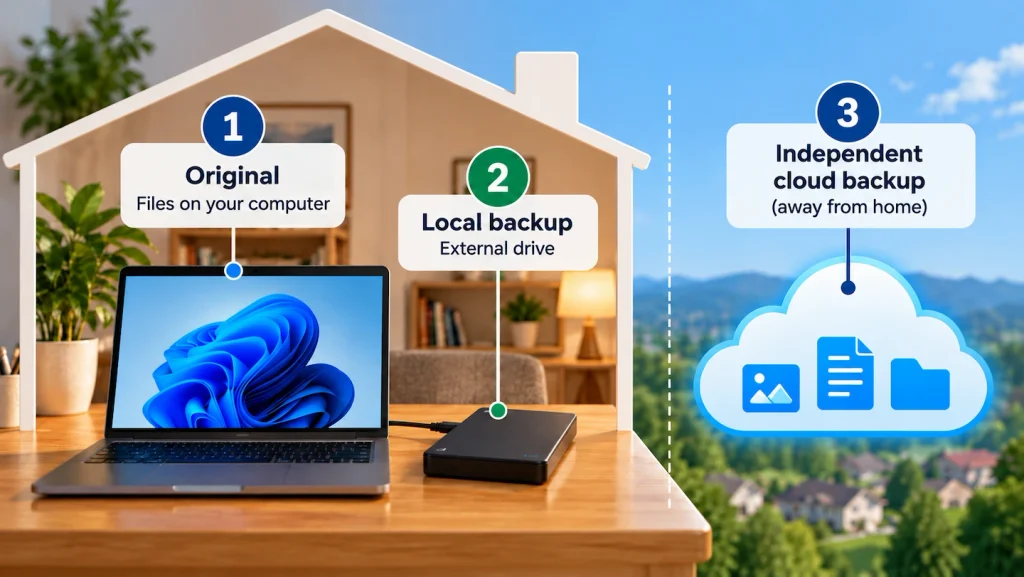
| Copy | Example | Location |
|---|---|---|
| 1 — Original | Files on your computer | Home |
| 2 — Local backup | External backup drive | Home |
| 3 — Offsite backup | Suitable independent online/cloud backup | Offsite |
This is an example rather than a required setup. There are other ways to follow the same principle.
The useful question is not whether your setup looks exactly like this. It is whether one problem could remove all of your copies at once.
If you want to create a straightforward local copy first, How to Back Up Files to an External Drive in Windows 11 walks through the process.
Does cloud storage count as the offsite copy?
It can help provide the offsite part of a backup strategy, but there is an important distinction.
Ask two separate questions:
Where is the additional copy stored?
and:
How does the service protect and manage that copy?
Files stored with an online service are physically separate from your computer, which can protect against some local problems. However, cloud synchronisation and an independent backup are not automatically the same thing.
A synchronisation service is designed to keep files and changes in sync between locations. Depending on the service and configuration, changes or deletions can also be synchronised.
That does not make cloud synchronisation useless. It simply means you should understand what protection the service actually provides rather than assuming that anything described as “cloud storage” automatically completes a 3-2-1 backup strategy.
Windows Backup vs OneDrive: What’s the Difference? explains this distinction in more detail.
Do you really need two different types of storage?
This is one of the less clear parts of the 3-2-1 rule.
The traditional wording calls for copies on two different types of media. That made the distinction relatively straightforward when backup technologies were more varied.
Modern interpretations sometimes put more emphasis on keeping copies on separate, independent storage rather than insisting that the underlying storage technologies must be different.
For a typical home user, it is more useful to understand the reason behind the rule than to get stuck debating storage terminology.
If the original files and every backup depend on one physical drive, you still have a single point of failure.
Separating the copies reduces that risk.
You can improve the arrangement further as your needs justify it, but uncertainty about the precise definition of “two media” should not stop you from making a backup in the first place.
Does an external backup drive count?
Yes. An external hard drive or SSD can form an important part of a 3-2-1 setup.
For example:
- files on the computer provide the original copy;
- an external drive provides another local copy.
That is already considerably better than having important files stored only on the computer.
However, if the external drive stays in the same home as the computer, it does not provide the offsite part of the rule.
You would need another appropriately protected copy elsewhere to add that separation.
How close is your current backup setup to 3-2-1?
You do not have to rebuild your backup arrangement all at once. Start by identifying what protection you already have.
| Current setup | What it means |
|---|---|
| Files only on the computer | One copy, with no separate backup |
| Computer + external backup | Better protection, but both copies are local |
| Computer + cloud sync only | An additional copy may exist elsewhere, but check what backup and recovery protection the service actually provides |
| Computer + local backup + independent offsite backup | Broadly follows the 3-2-1 principle |
The weakest setup is the first one. A single storage failure could leave you without another copy.
If that describes your computer, creating one dependable backup is the sensible priority.
You don’t need to make 3-2-1 complicated
Articles about backup strategies can quickly lead into NAS devices, RAID, home servers and specialist backup systems.
Those technologies have legitimate uses, but you do not need them simply because you want to protect the files on a normal home computer.
The 3-2-1 rule is better understood as a principle rather than a shopping list.
Ask:
- Do I have more than one copy of my important files?
- Are all of those copies dependent on the same storage device?
- Would I still have a copy if something happened to the computer and local backup together?
Those questions matter more than building an elaborate backup system that you do not need or understand.
What should you improve first?
If your important files currently exist only on your computer, concentrate on creating a reliable backup first.
You do not need to delay that because you cannot immediately achieve a perfect 3-2-1 arrangement.
If you already have a local backup, consider what would happen if both the computer and backup were lost together. An independent offsite copy can protect against that wider risk.
And if you already have local and offsite backups, make sure they actually contain the files you expect. A backup is much more useful when you know it is working and can recover the data if needed.
Our guide to checking that your computer backup is actually working can help with that final step.
Frequently asked questions
Does the original file count as one of the three copies?
Yes. Under the 3-2-1 principle, the original data counts as one copy. You then need two additional copies to reach three in total.
Do I need three external drives?
No. The rule refers to three copies of your important data, not three external drives.
A home setup might use the original files on the computer, one external backup and one suitably independent offsite backup.
Does OneDrive automatically give me a 3-2-1 backup?
Not necessarily.
OneDrive can keep files away from the physical computer and provides useful recovery features, but synchronisation and independent backup are different concepts.
Whether your overall setup follows the 3-2-1 principle depends on what other copies you maintain and how independently they are protected.
The main thing to remember
The 3-2-1 backup rule is about avoiding a situation where one problem can destroy every copy of your important files.
If you currently have no backup, start by creating one reliable copy rather than waiting until you can build a perfect 3-2-1 setup. You can then improve the protection by separating your backups and keeping an important copy offsite.